RV Circuit Studio
CircuitPython IDE
A modern, offline first replacement for Mu Editor. Write, debug, plot, and deploy CircuitPython code with a real development environment. Free and open source.
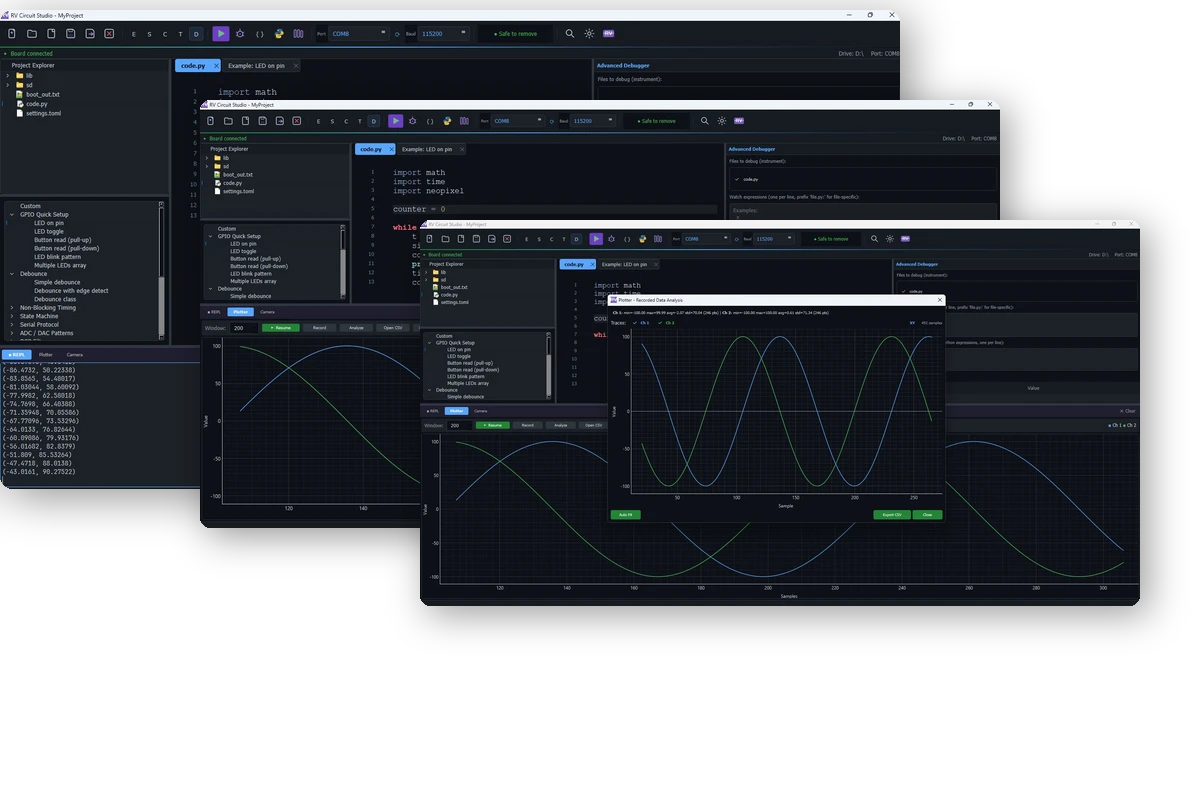
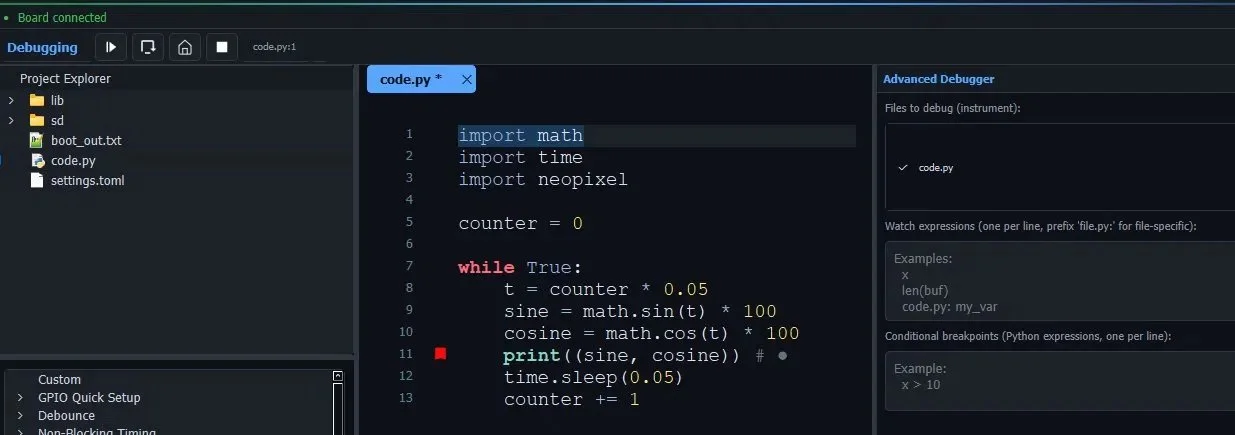
Visual debugging, not print() debugging
Set watch expressions, add conditional breakpoints, and step through your code line by line. The executing line highlights in the editor while watch values update live in the debug panel. Run, Step, Restart, Stop. See exactly what your variables hold at every point.
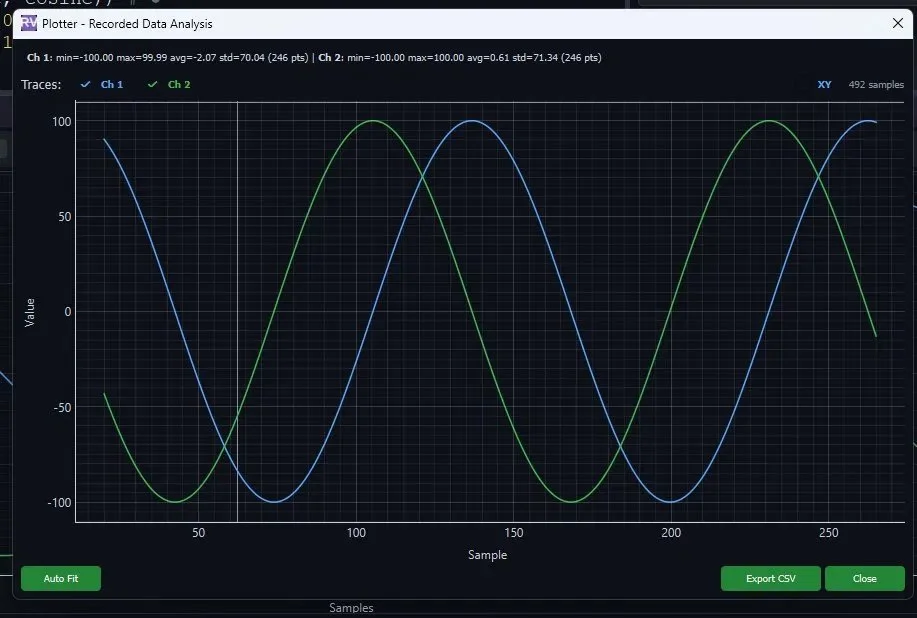
Visualize, record, and analyze
Plot sensor data in real time from any print format. Hit Record to capture a session, automatically saved as CSV. Open recorded data in the Analysis View to zoom, pan, compare channels, and view per-channel statistics. Import previous recordings to overlay and compare runs side by side.
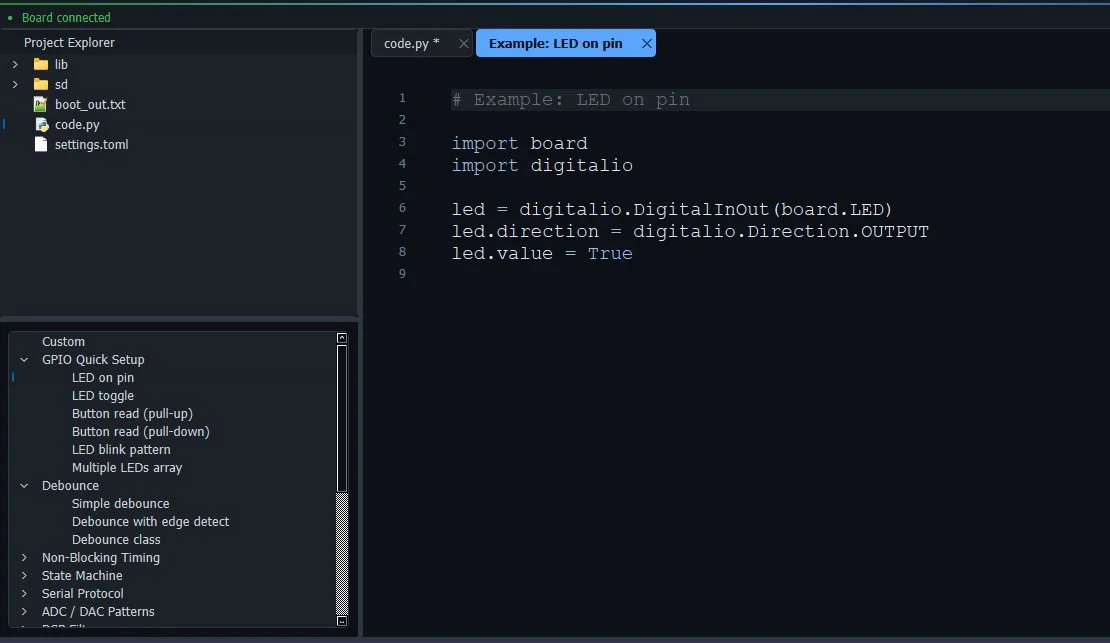
Complete examples, one click away
Double-click any snippet to open it as a complete working sample in a new tab. Categories include GPIO, debounce, state machines, ADC/DAC, PWM, DSP filters, serial protocols, and more. Learn by running real code, not by reading docs.
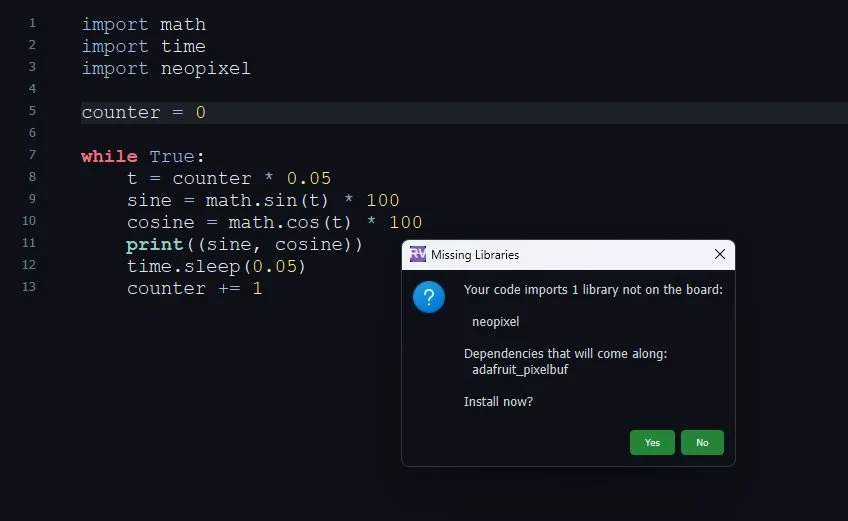
Auto-install from your imports
Click Auto Install and the IDE scans your imports, finds the matching libraries in the Adafruit Bundle, and installs them directly onto your board with one click. Or browse and search the full Adafruit and Community bundles manually. No downloading zip files, no dragging folders.
Everything you need. Nothing you don't.
Built for CircuitPython developers who want a real IDE without the bloat.
Tabbed Editor
Multiple files, syntax highlighting, zoom
Interactive REPL
Type commands directly to the board
Auto-Connect
Board detected and connected on plug-in
Auto-Save & Backup
Saves to board and keeps a local backup
One-Click Run
Save to board and execute instantly
Find & Replace
Ctrl+F across your files
Camera View
Built-in camera for visual projects
Autocomplete
Code completion for faster writing
Project Explorer
Browse and manage files on board and disk
RV Circuit Studio vs Mu Editor
Download RV Circuit Studio
Free, open source, and ready to use. v1.1.1 for Windows, macOS, and Linux.
View source on GitHub →