RV Systems Studio
RISC-V IDE
IDE, oscilloscope, logic analyzer, DSP workbench, PID tuner, and ML trainer. One desktop app replaces an entire embedded engineering bench.
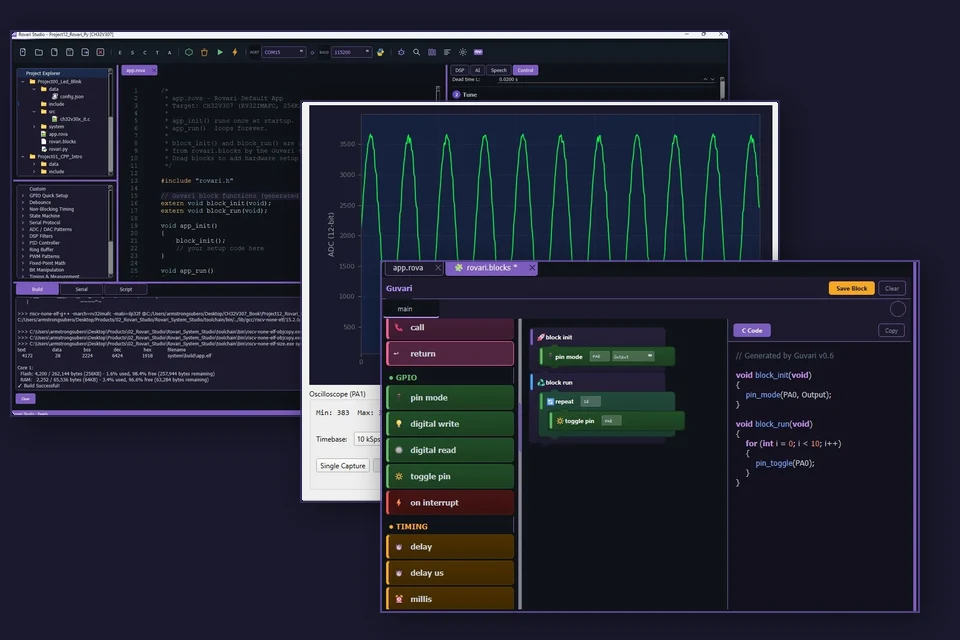
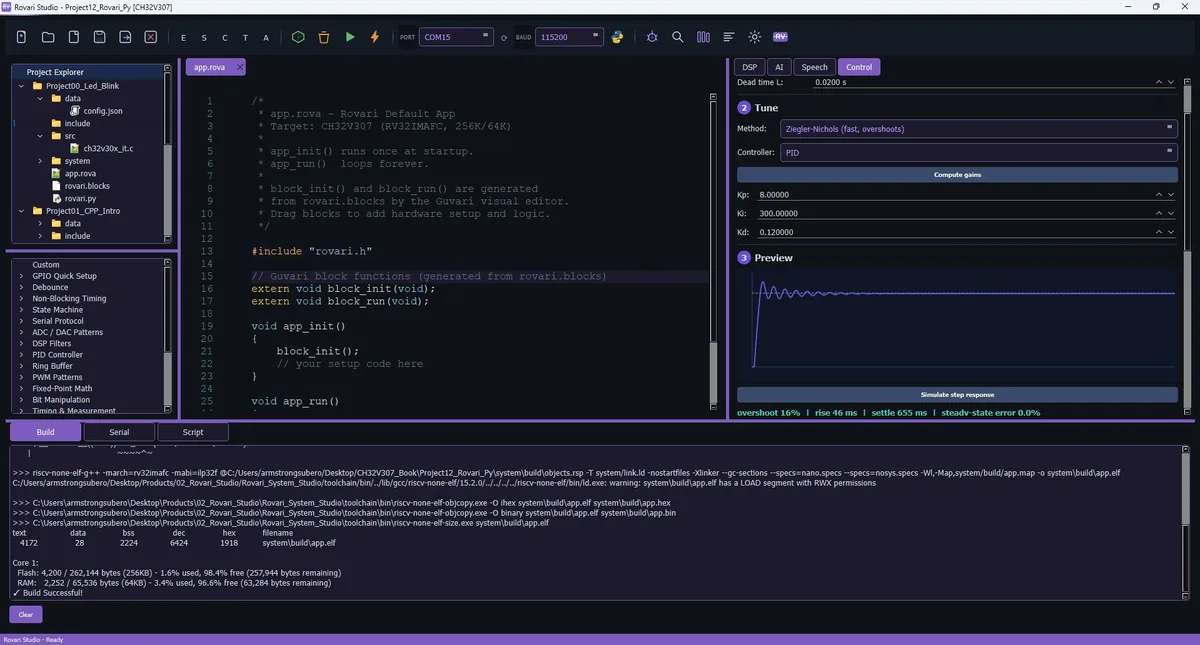
One click. Build, flash, done.
Bundled RISC-V toolchain, bundled WCH-Link drivers. Select your target chip, write your code, hit Run. The IDE compiles, links, and flashes in one step. Supports CH32V003, V103, V203, V307, and the dual-core H417.
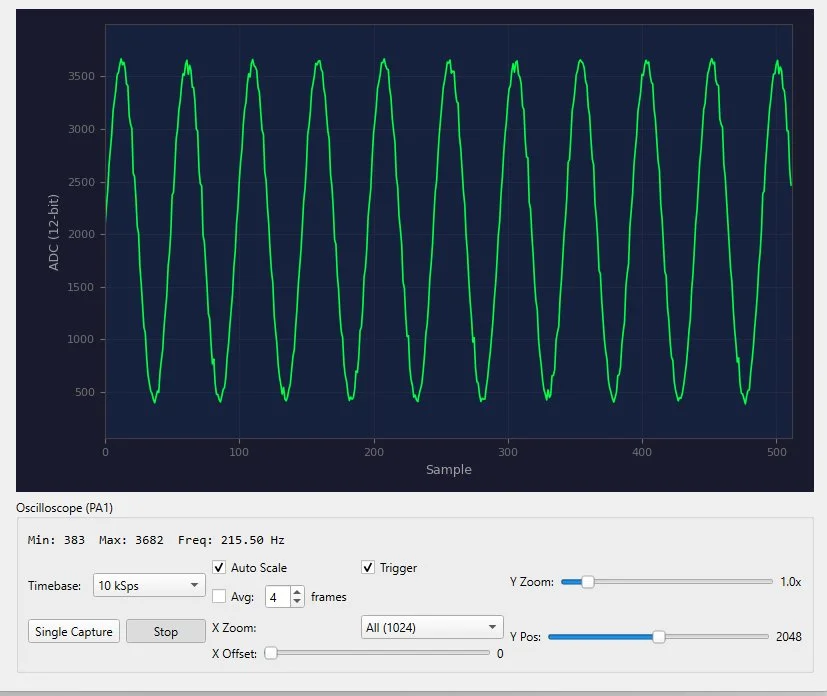
Your bench, inside the IDE
Connect the RV-LabBug and the IDE becomes a dual-channel oscilloscope, voltmeter, ohmmeter, inductance meter, frequency counter, square wave generator, analog wave generator, and logic analyzer. Measure what your code is doing while you're writing it.
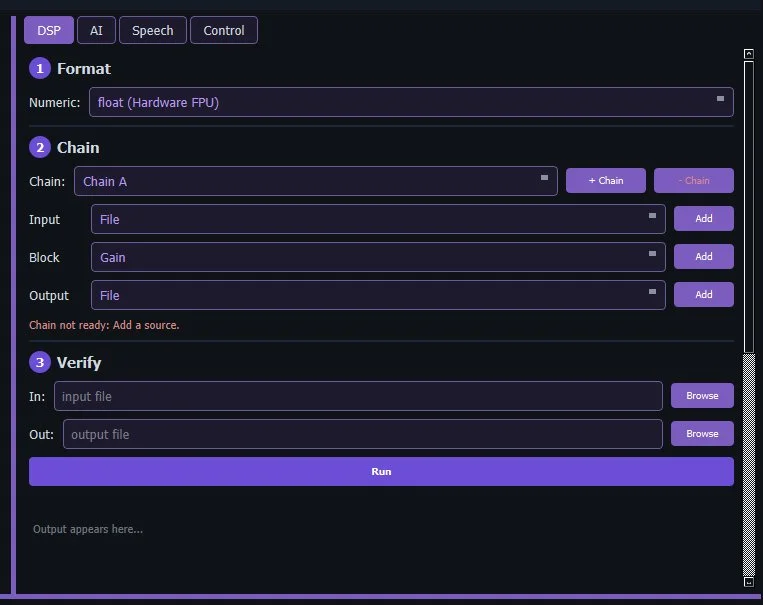
Build signal chains, not boilerplate
Assemble DSP blocks in a visual chain: source, filters, transforms, sink. Verify the whole pipeline on your PC with a sample file before touching hardware. Export production-ready C that runs identically on Q15 integer cores or float FPU parts.
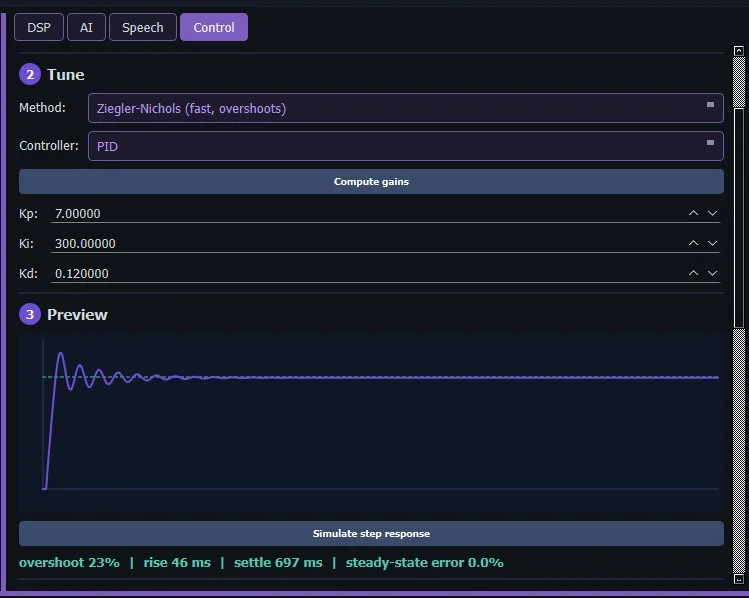
Tune a PID loop before you flash
Model your plant, pick a tuning method (Ziegler-Nichols, Cohen-Coon, or CHR), and preview the closed-loop step response in the IDE. See overshoot, rise time, and settling before the code ever touches hardware. Export integer-math C that runs on cores with no FPU.
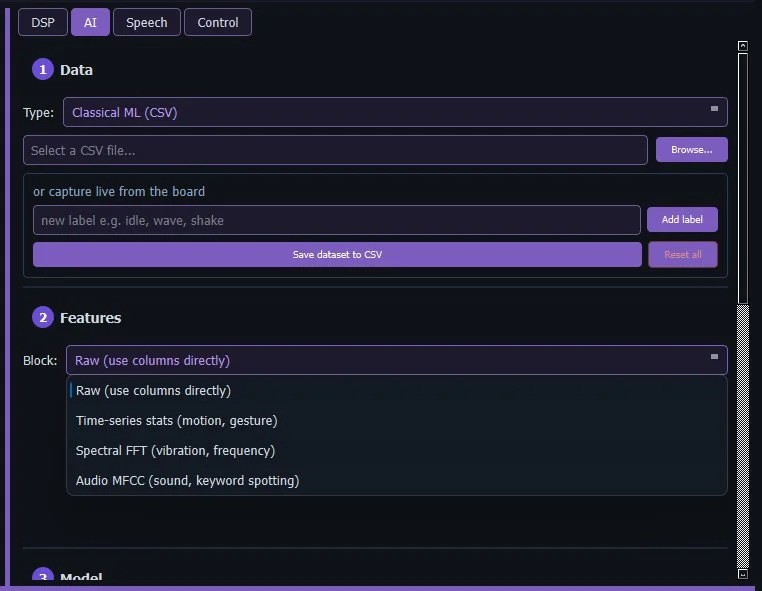
Train a model. Export pure C.
Collect sensor data, build a neural network layer by layer, train it, and export a standalone C header with zero runtime dependencies. Gesture recognition, anomaly detection, predictive maintenance, all running on a $0.15 chip. No cloud account, no subscription required.
Three files. One workflow.
Every project you create starts with three files that cover the full stack: firmware, visual programming, and PC-side tooling. They compile together in one build cycle.
#include "rovari.h"

// Guvari block functions
extern void block_init(void);
extern void block_run(void);

void app_init()
{
    block_init();
    gpio_set_mode(PA0, OUTPUT);
}

void app_run()
{
    block_run();
    gpio_toggle(PA0);
    delay_ms(500);
}
app.rova
Your main C++ file. Write embedded firmware using the Rovari SDK. app_init() runs once, app_run() loops forever. Same pattern Arduino uses, but with real C++, real peripherals, and a real build system underneath. Guvari blocks compile alongside your hand-written code.
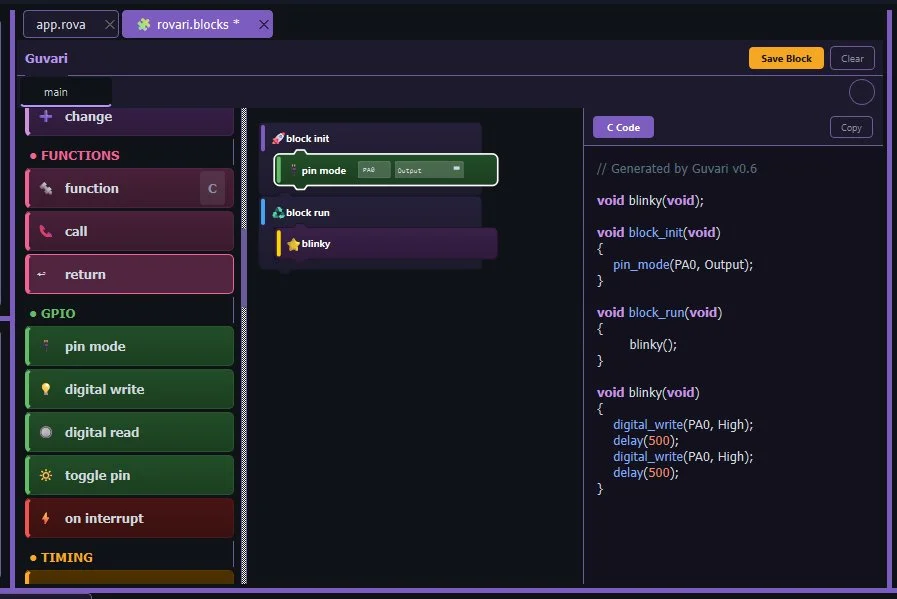
rovari.blocks
The Guvari visual programming file. Drag blocks, snap them together, and the IDE generates C++ that compiles into block_init() and block_run(). Your blocks and hand-written code coexist in the same project, same build, same binary. Start with blocks, graduate to C++ when ready.
import serial
import matplotlib.pyplot as plt

# Connect to the board
port = serial.Serial('COM3', 115200)

# Read and plot sensor data
while True:
    line = port.readline()
    value = float(line)
    plt.plot(value)
    plt.pause(0.01)
rovari.py
A Python script that runs on your PC alongside the firmware. Build dashboards, log sensor data, plot readings in real time, train ML models, or control the board from your desktop. The bridge between your embedded firmware and the rest of your workflow.
Meet Guvari
Visual block programming that generates real C++. Not a toy. A code generator built into RV Systems Studio.
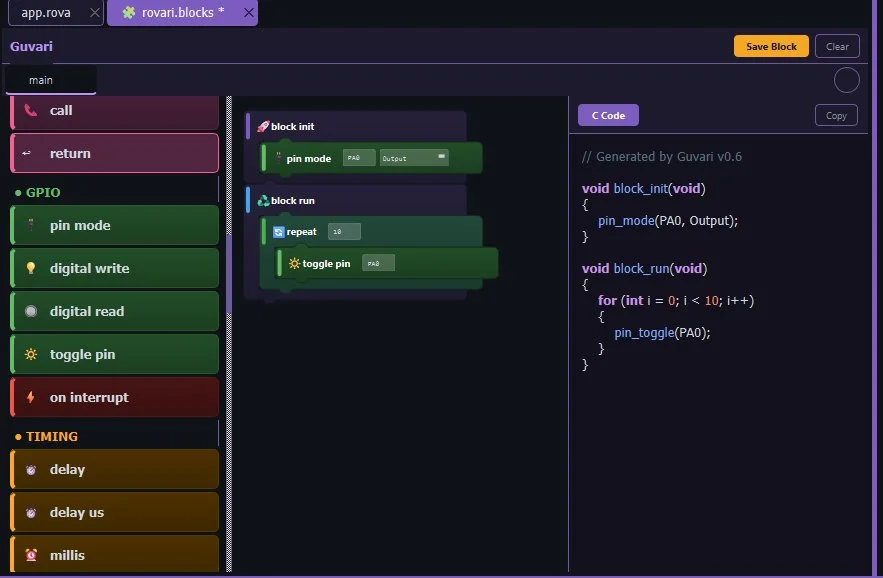
Blocks that read like sentences
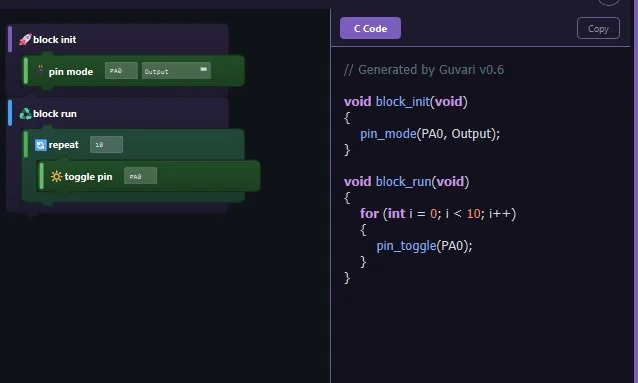
"Digital write PA0 High." "Delay 500 ms." "Repeat 10 times." Drag blocks from the palette, snap them together, and the meaning is obvious. No cryptic icons, no nested menus. Type pin names and values directly into the fields, just like you would in C.
See the C++ as you build
Every block you place generates readable, Allman-style C++ in the code panel. Watch the code update as you drag. The learning path is built in: start with blocks, read the generated code, then write C++ directly when you're ready.
GPIO to inline assembly
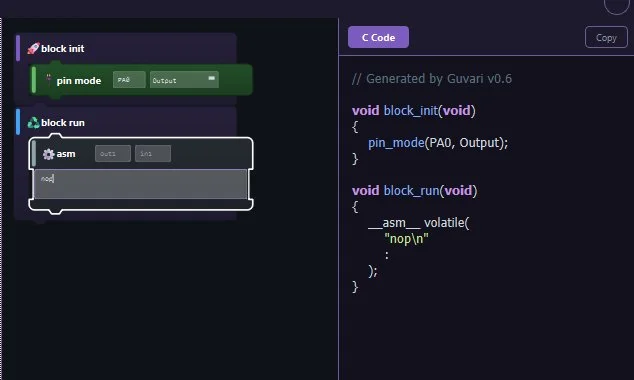
14 categories covering everything from basic digital I/O to UART, SPI, I2C, ADC, DAC, PWM, timers, display output, watchdog, and even inline assembly. Plus you can save any block selection as a custom reusable block for your own patterns.
Blocks and code, side by side
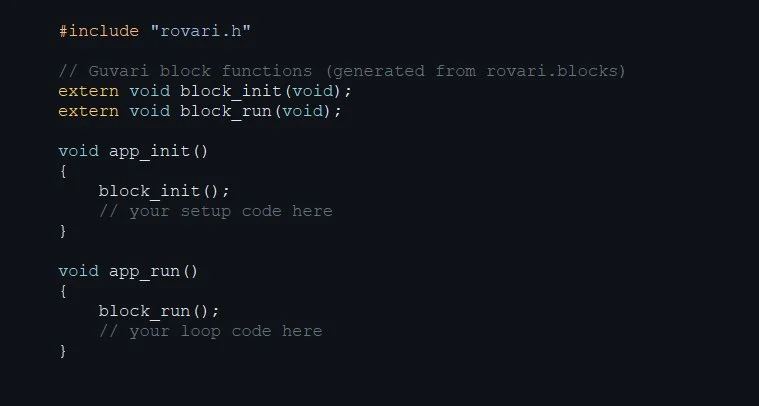
Guvari generates block_init() and block_run() functions. Your hand-written C++ calls them from app_init() and app_run(). Use blocks for the hardware setup, write the logic yourself. Or use blocks for everything. Your project, your choice. Empty blocks compile to nothing.
And everything else
GDB Debugger
Breakpoints, stepping, variable watch via OpenOCD
Memory Map
Visual flash/RAM usage from linker map files
Keyword Spotting
Train voice commands, deploy as pure C
Serial Terminal
Built-in UART console with auto-detect
Peripheral Selector
SPI, I2C, ADC, CAN, Ethernet, USB and more
Code Formatter
One-click format for clean, consistent code
LVGL Integration
Display and touch UI framework built in
FreeRTOS Config
RTOS setup and task management
Snippets
Ready-to-run embedded code examples
One app replaces all of this
Tools that used to cost thousands of dollars or required separate subscriptions.
Oscilloscope
Voltmeter
Logic Analyzer
ML Platforms
DSP Tools
PID Tuners
The full bench in one download
RV Systems Studio is free. No license fees, no subscriptions. Get notified when the first public build drops.